When using IPv6 in NSX-T segments – remember to create an IP discovery profile which includes IPv6 address snooping methods
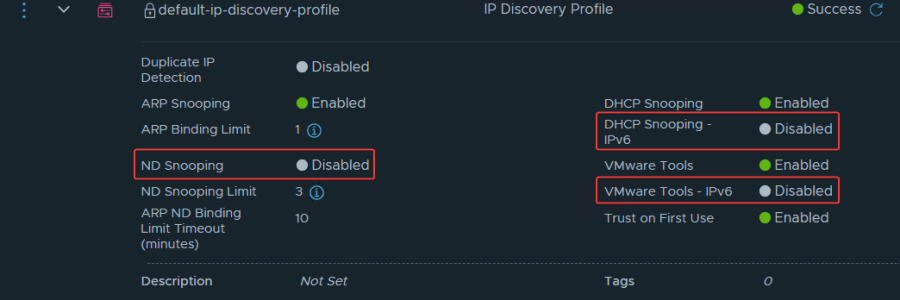
NSX will, by default, only discover VMs with IPv4. This is due to the default configuration for IP Discovery, as you can see in the image above. If you have IPv6 VMs, you should consider creating a new segment profile that also includes IPv6: NSX Manager > Networking > Segments > Profiles > Add Segment… Read More When using IPv6 in NSX-T segments – remember to create an IP discovery profile which includes IPv6 address snooping methods
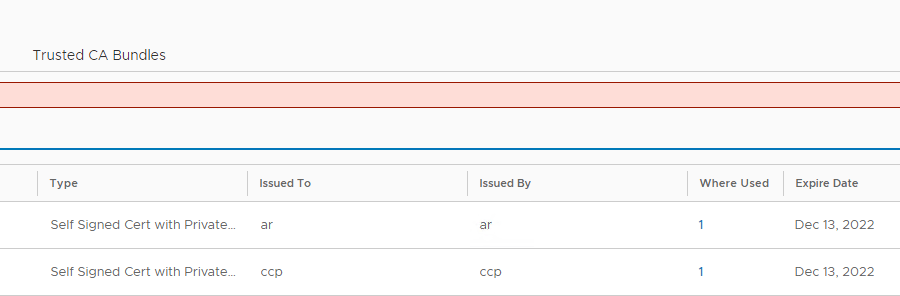
Fixing expired NSX self-signed certificates after upgrading from NSX-T 3.2.x to NSX 4.x (VCF 5.1)

After upgrading a VCF 4.5 management domain to 5.1 for a customer, upgrading NSX to v4.1.2.1.0 in the process, we saw that NSX suddenly listed a lot of expired certificates, which wasn’t there before (actually they were, just not showing up and there are no alerts for those in NSX 3.x). Troubleshooting this, I came… Read More Fixing expired NSX self-signed certificates after upgrading from NSX-T 3.2.x to NSX 4.x (VCF 5.1)

VCF 5.0 Workload Domain creation fails with “Validate Workload Domain Deployment Specification” subtask

During a bring-up of a small VCF 5.0 test-environment for a customer, with 4 hosts for MGMT-WLD and 4 hosts for VI-WLD, I hit a snag when creating the VI workload domain from SDDC Manager. The subtask “Validate Workload Domain Deployment Specification” failed. If you’re not interesting in going through some digging with me, you… Read More VCF 5.0 Workload Domain creation fails with “Validate Workload Domain Deployment Specification” subtask

NSX-T Alarm – “Edge VM Present In NSX Inventory Not Present In vCenter”

During an VCF 4.5 upgrade, the vCenter was upgraded to 7U3h (and NSX-T to 3.2.1.2 before that). After the upgrade we saw a strange alert in NSX-T: “Edge VM Present In NSX Inventory Not Present In vCenter“ Following the recommended action, we found the Edge VMs to have the same correct vm-#### and ID as… Read More NSX-T Alarm – “Edge VM Present In NSX Inventory Not Present In vCenter”

VCF Verify / VxVerify – “vxnode: vxnode.config drives missing”

If you run your VMware vSphere or VMware Cloud Foundation (VCF) stack on Dell EMC VxRail (VCFonVxRail), you are maybe familiar with the vxverify and vcfverify tools (requires login), which can come in handy for checking the health of your VCF and VxRail systems, both ad-hoc and before doing an upgrade. I won’t go into… Read More VCF Verify / VxVerify – “vxnode: vxnode.config drives missing”

vIDM v3.3: “There was a problem with Messaging service. Error retrieving rabbitmq status.”

The last couple of months I’ve seen this error in a Workspace One Access Cluster (WSA/vIDM), installed in a VCF4 environment: “There was a problem with Messaging service. Error retrieving rabbitmq status.” WSA System Diagnostics Dashboard (node 3) WSA was initially installed with v3.3.4 on VCF 4.2. The last couple of weeks we’ve upgraded the… Read More vIDM v3.3: “There was a problem with Messaging service. Error retrieving rabbitmq status.”