Preventing “Failed to mount /boot” after Aria Suite Lifecycle 8.18.0 PATCH3 Upgrade
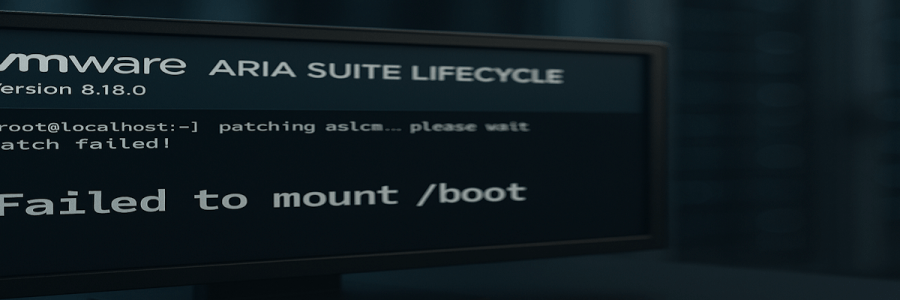
🔄 Update 2025-08-04 Broadcom have released a new KB 406032 – “VMware Aria Suite Lifecycle 8.18 Patch 3 Installation Runbook” confirming the /etc/fstab problem described her, and also a new potential problem with a missing GPG key. 📌 Overview With the recent security and bugfix updates from Broadcom (I posted about it here), I applied… Read More Preventing “Failed to mount /boot” after Aria Suite Lifecycle 8.18.0 PATCH3 Upgrade

Broadcom releases VMware VMSA‑2025‑0014 Security Advisory and multiple VMware product releases

📌 Overview Broadcom has issued VMSA‑2025‑0014, a security advisory addressing a denial-of-service vulnerability (CVE‑2025‑41241) in VMware vCenter Server. The advisory was published on July 29, 2025. In parallel, Broadcom released updates for multiple VMware products to address this and other issues. 📢 Update July 31, 2025: Heads up on ASLCM PATCH3. You need to manually… Read More Broadcom releases VMware VMSA‑2025‑0014 Security Advisory and multiple VMware product releases

Snapshot Fails on Windows VM with SQL Server

When taking a snapshot of a Windows VM running SQL Server, either manually or triggered by backup software, you may encounter the following error: Additionally, running ‘vssadmin list writers‘ in powershell (as an administrator) will often reveal that the SqlServerWriter is in a failed state: 🛠 First things to check Before diving deeper, ensure these… Read More Snapshot Fails on Windows VM with SQL Server

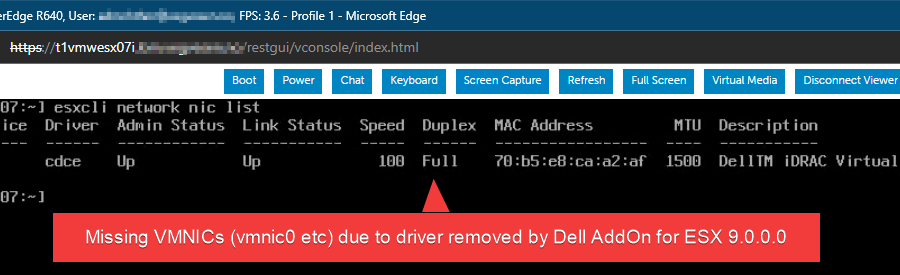
ESX 9 Compatibility Issues with Dell Servers and QL41xxx NICs

Summary: Upgrading Dell servers equipped with QLogic QL41xxx network adapters to ESX 9, using either the Dell AddOn 9.0.0.0-A00 or the Dell-customized ESX 9 ISO, will remove the QL41xxx vmnic driver, effectively disabling network connectivity. A workaround for this issue (driver reinstallation) is provided below. ⚠️Note: this is not a supported configuration for running ESX… Read More ESX 9 Compatibility Issues with Dell Servers and QL41xxx NICs

Fixing ShareX Screenshot Issues Caused by Logitech Options+

For over a week, I’ve been trying to figure out why my trusted ShareX screenshot workflow suddenly broke. Every time I hit the Print Screen key combination I prefer, I’d see the familiar screen flash — but nothing else happened. No editor, no prompt. It turns out the culprit was Logitech Options+, which had quietly… Read More Fixing ShareX Screenshot Issues Caused by Logitech Options+

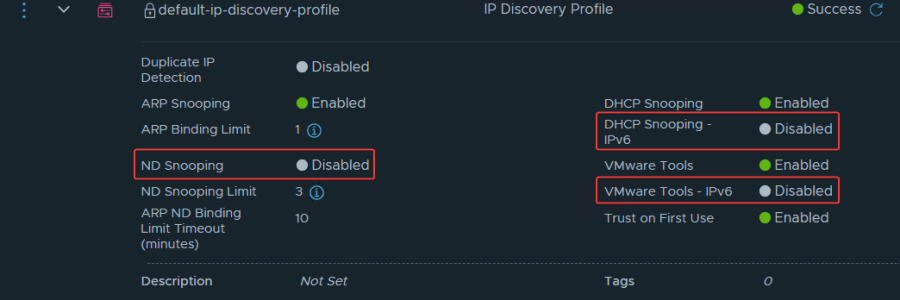
When using IPv6 in NSX-T segments – remember to create an IP discovery profile which includes IPv6 address snooping methods

NSX will, by default, only discover VMs with IPv4. This is due to the default configuration for IP Discovery, as you can see in the image above. If you have IPv6 VMs, you should consider creating a new segment profile that also includes IPv6: NSX Manager > Networking > Segments > Profiles > Add Segment… Read More When using IPv6 in NSX-T segments – remember to create an IP discovery profile which includes IPv6 address snooping methods

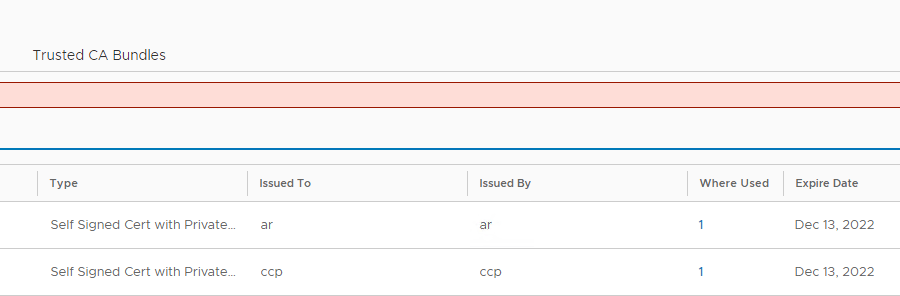
Fixing expired NSX self-signed certificates after upgrading from NSX-T 3.2.x to NSX 4.x (VCF 5.1)

After upgrading a VCF 4.5 management domain to 5.1 for a customer, upgrading NSX to v4.1.2.1.0 in the process, we saw that NSX suddenly listed a lot of expired certificates, which wasn’t there before (actually they were, just not showing up and there are no alerts for those in NSX 3.x). Troubleshooting this, I came… Read More Fixing expired NSX self-signed certificates after upgrading from NSX-T 3.2.x to NSX 4.x (VCF 5.1)

VCF 5.0 Workload Domain creation fails with “Validate Workload Domain Deployment Specification” subtask

During a bring-up of a small VCF 5.0 test-environment for a customer, with 4 hosts for MGMT-WLD and 4 hosts for VI-WLD, I hit a snag when creating the VI workload domain from SDDC Manager. The subtask “Validate Workload Domain Deployment Specification” failed. If you’re not interesting in going through some digging with me, you… Read More VCF 5.0 Workload Domain creation fails with “Validate Workload Domain Deployment Specification” subtask

NSX-T Alarm – “Edge VM Present In NSX Inventory Not Present In vCenter”

During an VCF 4.5 upgrade, the vCenter was upgraded to 7U3h (and NSX-T to 3.2.1.2 before that). After the upgrade we saw a strange alert in NSX-T: “Edge VM Present In NSX Inventory Not Present In vCenter“ Following the recommended action, we found the Edge VMs to have the same correct vm-#### and ID as… Read More NSX-T Alarm – “Edge VM Present In NSX Inventory Not Present In vCenter”