🔄 Update 2025-08-04
Broadcom have released a new KB 406032 – “VMware Aria Suite Lifecycle 8.18 Patch 3 Installation Runbook” confirming the /etc/fstab problem described her, and also a new potential problem with a missing GPG key.
📌 Overview
With the recent security and bugfix updates from Broadcom (I posted about it here), I applied PATCH3 to VMware Aria Suite Lifecycle (ASLCM) 8.18.0. Following Broadcom’s guidance, I patched Workspace ONE Access (WSA) first. This is required if WSA is installed and managed by ASLCM, as noted in the ASLCM 8.18 Patch 3 release notes:
“If VMware Identity Manager is installed and managed by VMware Aria Suite Lifecycle, apply a VMware Identity Manager security patch first, then install the VMware Aria Suite Lifecycle Patch. For information on how to apply the security patch, go to KB 404054.”
🧪 My Patch Path
- Patched WSA (single node) successfully
- ASLCM was running Patch 1
- Patch 2 and Patch 3 are cumulative, so I upgraded directly from Patch 1 to Patch 3
PATCH2 was released alongside VCF 9.0, enabling upgrades to VCF Operations 9.0. PATCH3 includes:
- Security vulnerability fixes for Aria Suite Lifecycle 8.18.0
- Support for:
- Aria Operations 8.18.4
- Aria Operations for Logs 8.18.4
- Aria Operations for Networks 6.14.1 (hopefully the release notes and version is out soon, I only see 6.14.0 patch 8 for “vRNI” as the latest patch)
- (PATCH2) Upgrade path for customers moving to VCF 9.0 and VCF Operations 9.0
⚠️ Critical Patch Prerequisite
The release notes provide these steps to prepare the system before patching:
rm -rf /tmp/10318114
mkdir -p /data/tmp_patch_storage
ln -s /data/tmp_patch_storage /tmp/10318114
These steps are necessary because the PATCH3 binary is nearly 6.7 GB. Without this preparation, ASLCM tries to extract the package into /tmp, which quickly fills up and causes the patch to fail with LCMPATCHUPDATE16002:
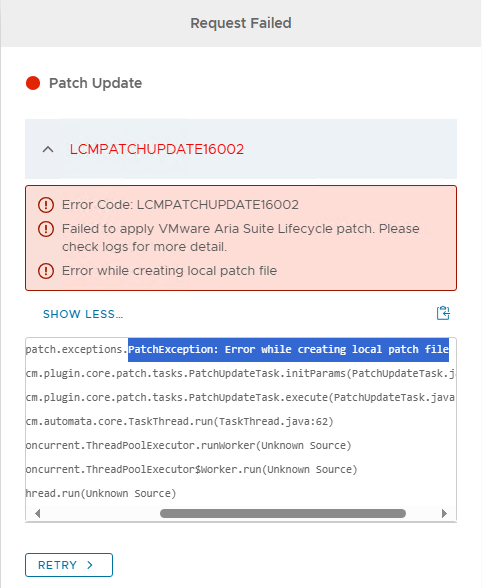
If you missed that step, just run the commands again (it will clean up /tmp) and retry the patch request or start over:

🔍 What Went Wrong: “Failed to mount /boot”
The patch initially appeared successful. The log at /var/log/vrlcm/patchcli.log looked clean, and the UI reported PATCH3 as installed.
But after the virtual appliance rebooted, the VM did not boot correctly:
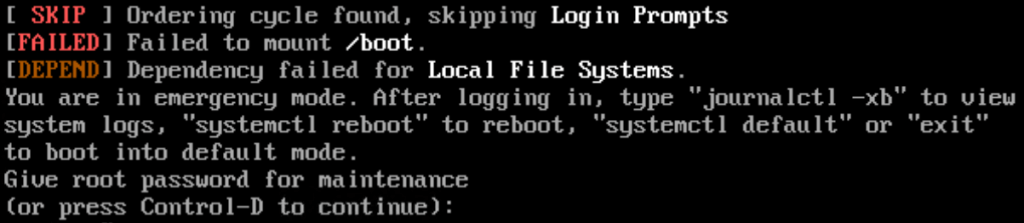
The appliance dropped into emergency mode. Logging in as root, I was able to manually mount /boot without issue, so I started digging into the logs, and with ‘journalctl -xb‘, in which I search for “/boot” and found this:
ext3: Unknown parameter 'noacl'
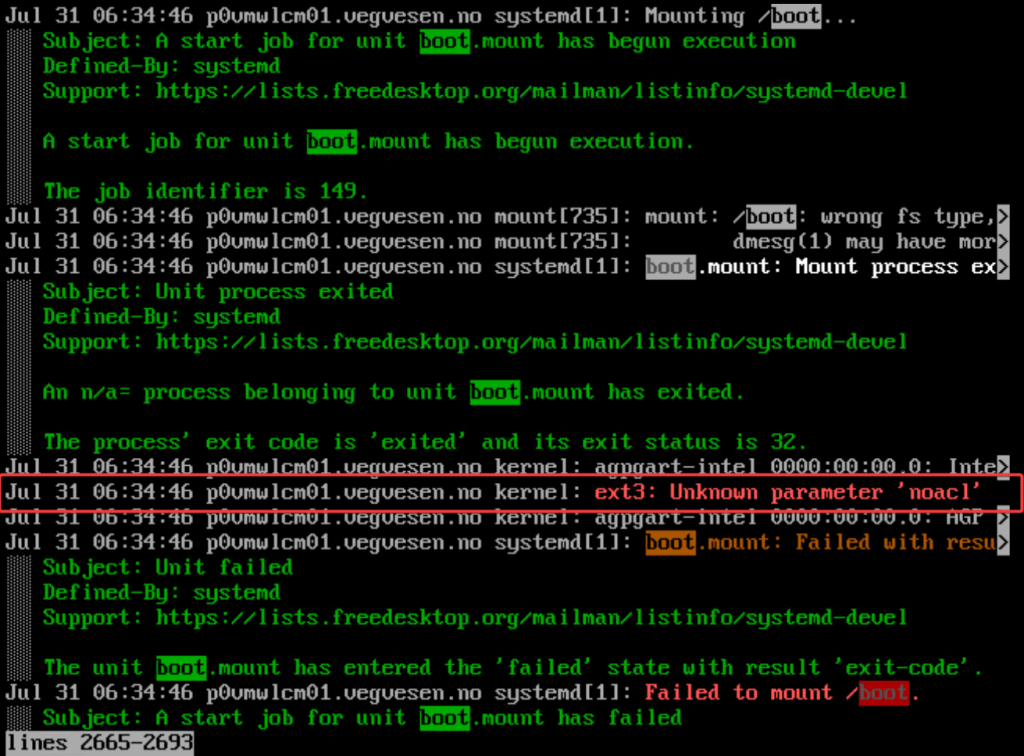
This led me to check /etc/fstab. Sure enough, /boot was mounted using noacl:
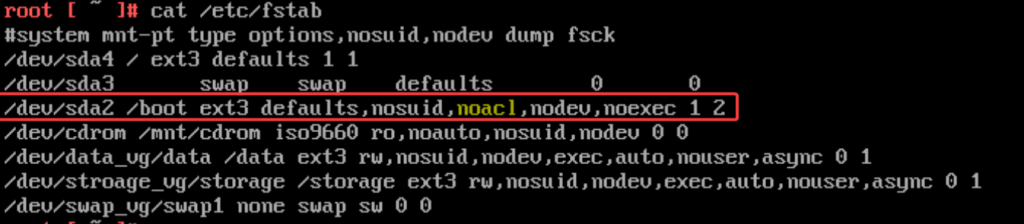
I removed the noacl option, saved the file, and rebooted. /dev/sda2 line before and after edit:
# before
/dev/sda2 /boot ext3 defaults,nosuid,noacl,nodev,noexec 1 2

# after
/dev/sda2 /boot ext3 defaults,nosuid,nodev,noexec 1 2
🎉 The appliance booted normally, and the Web UI came back online.
📝 Please note, I did run “dracut --force” before I found this error, but I don’t think that had any effect.
🔎 Post-Patch Notes
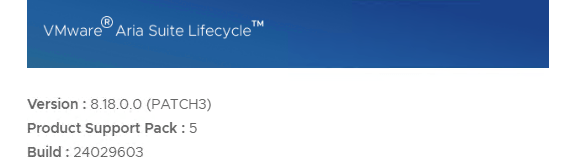
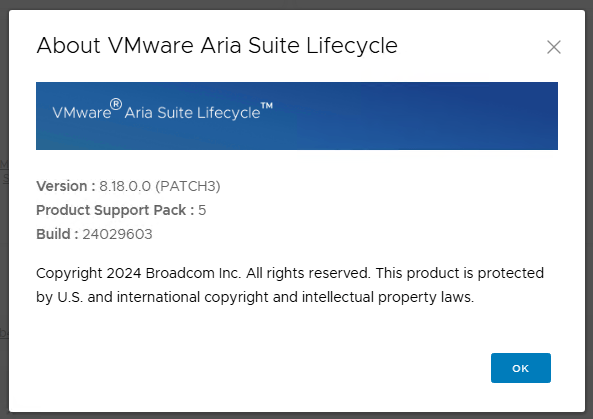
The About page showed PATCH3 as installed, but the build number listed was 24029603, not the expected 24866916 from the release notes. This appears to be normal behavior. The UI reflects the main build number, not the patch level.
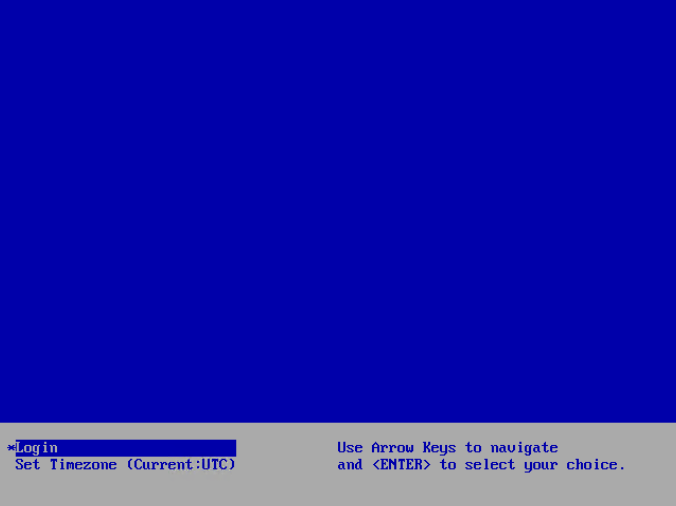
The console page stayed “blue and blank” like this (update: apparantly this will be populated if you give it time):
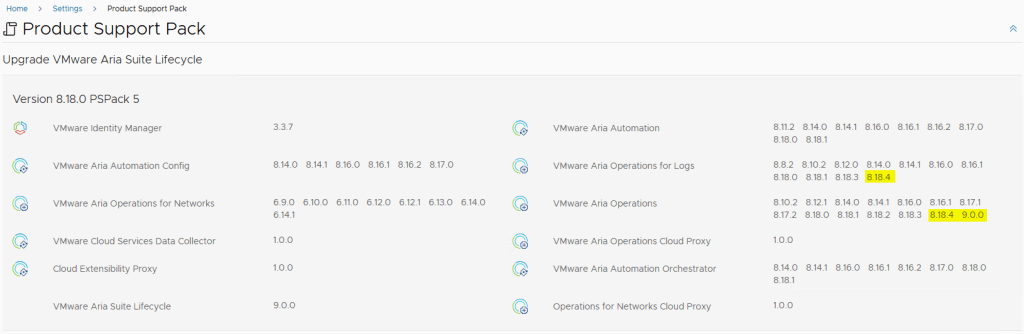
The PSPak page confirmed the update was successful, with new versions of Aria Operations, Logs, and Networks available for deployment/patching.
🧼 Clean Fix and Retry Plan
Since the patch was technically applied but left the appliance in a broken boot state due to the incorrect /etc/fstab option, I will:
- Revert to the pre-patch snapshot
- Remove
noaclfrom/bootin/etc/fstab - Run the storage preparation commands
- Re-apply PATCH3 cleanly
✅ Summary
If you’re upgrading Aria Suite Lifecycle 8.18.0 to PATCH3, here’s the process I recommend:
- Patch WSA first, if it is managed by ASLCM (and follow the KB instructions, there are more steps if WSA is a cluster)
- Prepare temporary storage with the provided shell commands
- Check and correct
/etc/fstab, removingnoaclfrom the/bootmount entry - Apply the patch and monitor logs
- Validate the result in the Web UI and PSPak view
📧 Update – July 31, 2025 at 11:00
A few hours after I discovered and fixed this issue, I received a confirmation from Broadcom/VMware support. They advised editing /etc/fstab to remove noacl before applying the patch. I expect this guidance will be added to the official release notes soon.
Until then, you saw it here first.
 VMnic
VMnic 
[…] need to manually edit /etc/fstab, otherwise it the patch will fail to mount /boot after reboot. See my blog post here for […]
LikeLike
[…] up on my recent post about ASLCM failing to mount /boot after patching (which required editing /etc/fstab), I proceeded to patch another vIDM instance […]
LikeLike