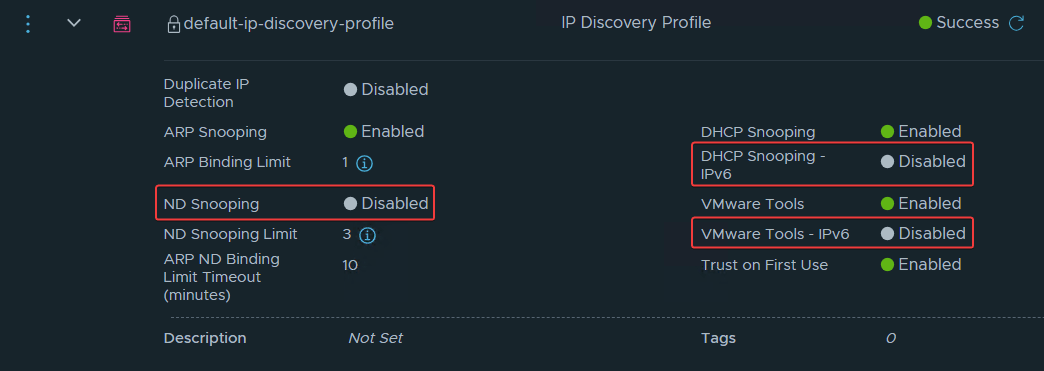
NSX will, by default, only discover VMs with IPv4. This is due to the default configuration for IP Discovery, as you can see in the image above.
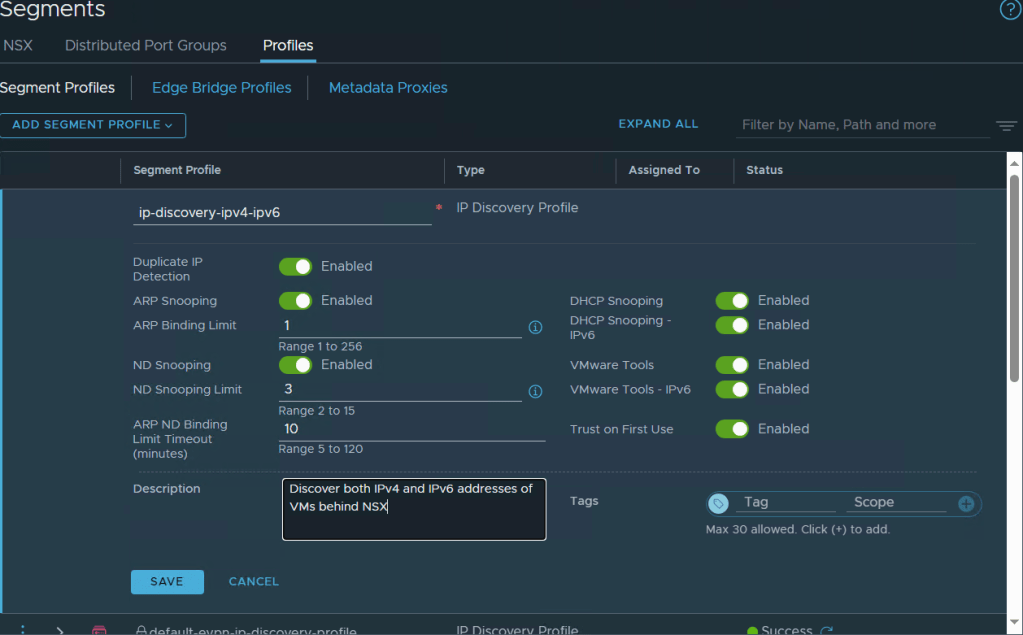
If you have IPv6 VMs, you should consider creating a new segment profile that also includes IPv6:
NSX Manager > Networking > Segments > Profiles > Add Segment Profile > IP Discovery
Give it a name, for instance “ip-discovery-ipv4-ipv6” and enable all options. Those specific for IPv6 are “ND Snooping“, “DHCP Snooping IPv6” and “VMware Tools – IPv6” options.
Next you need to edit your NSX segment(s) to change the IP Discovery profile.
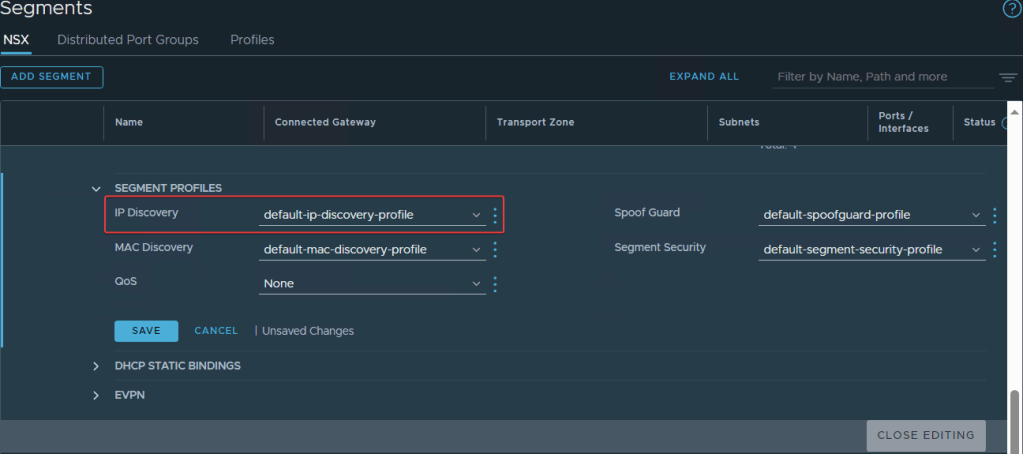
Change, save and close.
Now the IPv6 (and IPv4) will be discovered from VMs behind NSX.
 VMnic
VMnic 